Showcase of Designs Optimized for iPhone

Over the last couple of years, mobile devices have managed to gain mainstream popularity. With iPhone, making mobile Web applications finally usable by broad masses, web design can now be applied to mobile applications as well. In this post we are focusing on designs that are specifically optimized for mobile devices, in particular iPhone.
Though iPhone’s Safari browser is able to render any website just like you would see it on a desktop browser, the available screen area is much smaller than in common “classic” displays. This poses a new challenge for designers and developers who now can reach millions of users that use mobile Web. Websites that are specifically optimized for the iPhone utilize the screen to the fullest extent, and use less bandwidth (which is necessary, because the connectivity is not always optimal).
The iPhone browsing experience is quite different than the regular browsing experience. The buttons and hyperlinks have to be bigger because our fingers are not as sharp as the mouse pointer. Optimizing a website for iPhone is not rocket science. It’s the same HTML, CSS and JavaScript that you already know. The only major difference is the screen size.
In the showcase below we present some of the interesting, interactive and beautiful designs that are optimized for the iPhone. You will also learn about some handy tools that will help you optimize your website for the iPhone.
Also consider our previous articles:
- How to Create Your First iPhone Application
- iPhone Apps Design Mistakes: Over-Blown Visuals
- 100 (Really) Beautiful iPhone Wallpapers
1. News / Entertainment
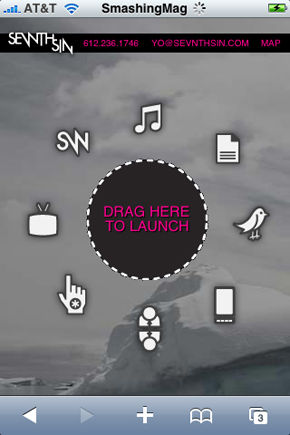
Sevnth Sin
The unique navigation makes this site very interactive. Nice concept, nice colors.
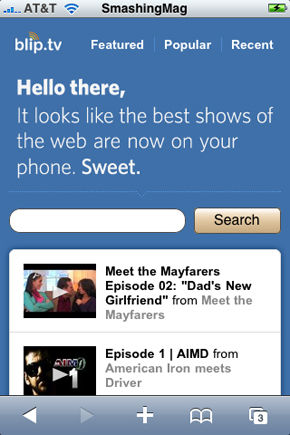
Blip.tv
Perfectly suits the theme: video entertainment! Clean and clear typography.
NBC
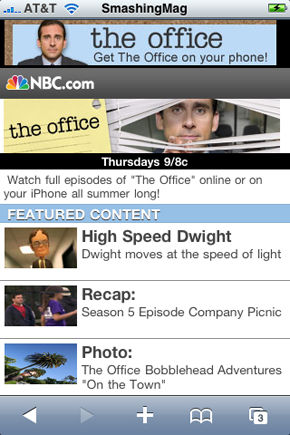
The YouTube-style design makes it very easy to navigate and find shows.

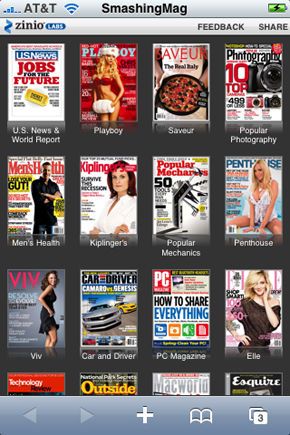
Zinio
That’s a kit of magazines, all one-touch away!
Spin The Bottle
A simple bottle spinning game. Good use of graphics.

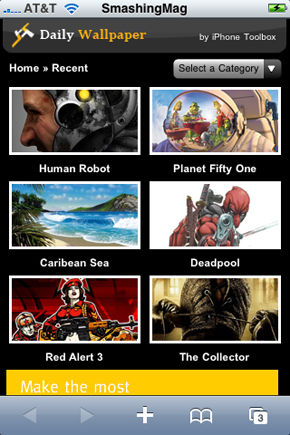
Daily Wallpaper
Similar to Zinio, but 2 thumbnails in a row make it more easy to navigate around.
AOL Horoscopes
Very well designed for a horoscope site. Matching color scheme throughout.

Yahoo Omg!
Fresh look, vibrant colors and lively typography make this design fun to browse and easy to read. The design also matches the celebrity gossip theme.

2. Business / Corporate
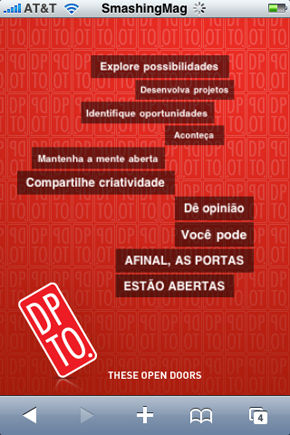
DPTO
Different tones of red make this design look very attractive on the iPhone. The 3D menu looks very nice — perfect for a marketing and design agency.
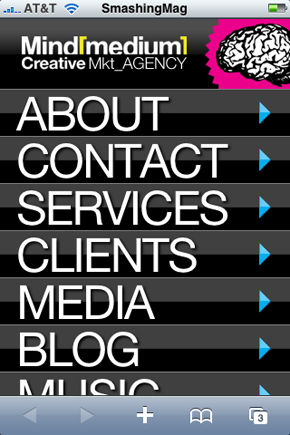
Mind Medium Creative
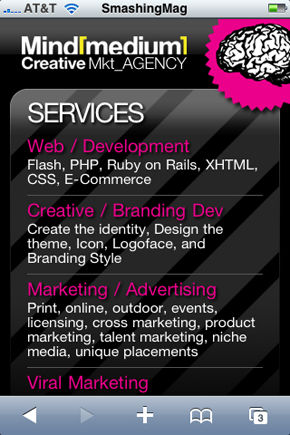
The use of gradients make the overall site look very shiny on the iPhone. The menu is very to-the-point. A nice composition and execution.
Redhawk Investment Advisors
This design has a very corporate feel to it. Good use of colors.

Nike Lab
Just what to expect from Nike. Sporty and energetic design.

Procab Studio
Procab studio showcases their work portfolio and other information about the agency. Well placed content. The font size is a bit too small, though.

Hotel Monterilla
The design makes you want to go there for a vacation. The design has a very comforting feel to it. A perfect color scheme.

Viget Labs
A blue background, appropriate padding and rounded corners make this simple design look vibrant and attractive.

Batali Associates
This is one of the good examples of design optimization for the iPhone. It clearly looks like it was really made for the iPhone, not just duplicated.

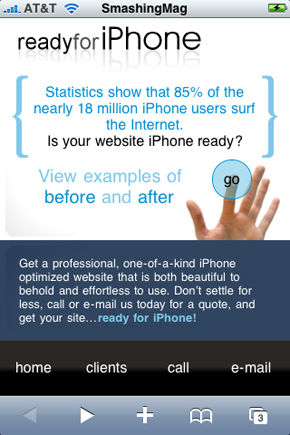
Ready For iPhone
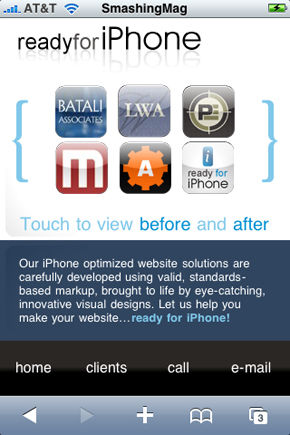
A company that provides iPhone optimized website solutions. The finger on the “Go” looks intuitive.
Element Fusion
Another showcase website that provides design services. Looks like a cut-down version of the actual website.

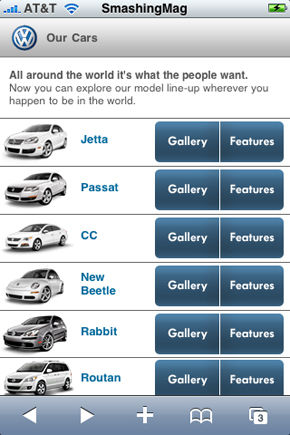
Volkswagon
A showcase gallery for Volkswagon. Easy to navigate around. Clean and clear content.

3. Shopping / E-Commerce
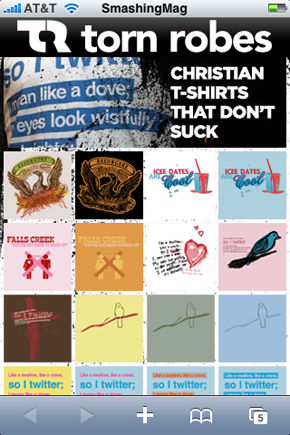
Torn Robes
A nice example of a mobile e-Commerce site. Just touch your favourite design, have a look at it and buy it. Looks very vibrant.
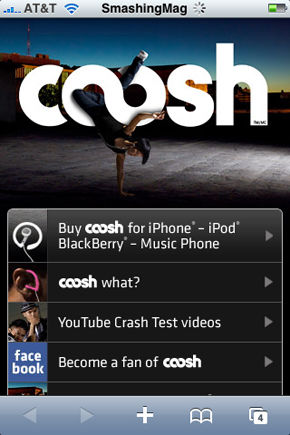
Coosh
A single-product e-Commerce site. Branded very well.
Walmart
This design doesn’t really meet the expectations from WalMart — however, the design is still in beta. The usability is good, though: it is very easy to search for products and stores. You can also create shopping lists.

4. Portfolio / Blog
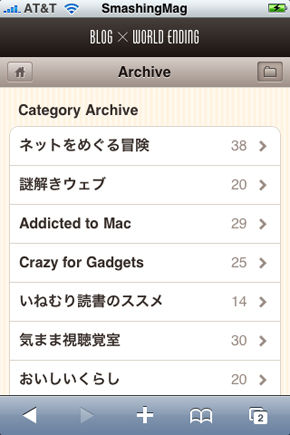
World Ending Blog (Japanese)
Although we did not understand a word there, it is very well designed for the iPhone. Every page is optimized and provides a good browsing experience.

Signal Element
Simple and clean design: just 3 pages, but very well designed.

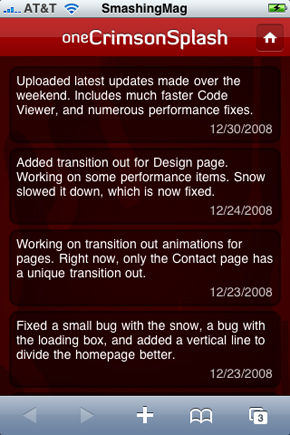
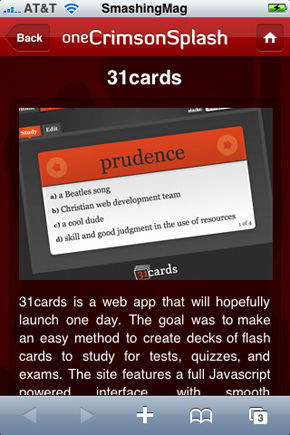
One Crimson Splash
This is the portfolio of James Finley. The choice of colors and content placement are very good.
5. Education / Content
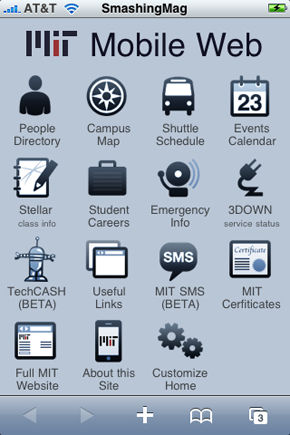
MIT
What else to expect from MIT? Simple, clean, user-friendly.
101 Cook Books
Not really a fancy design, but it’s the simplicity and clarity of content that makes it appear in this showcase.

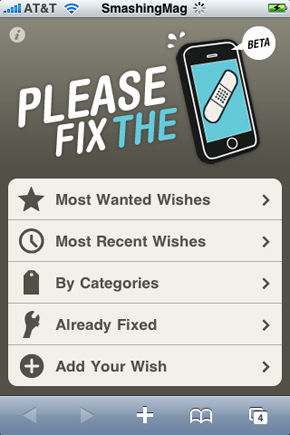
Please Fix The iPhone
A good design that provides the desktop browsing experience. It is very easy to find what you are looking for.
1881
The Norwegian telephone directory online. The combination of bright blue, orange and white looks really good.

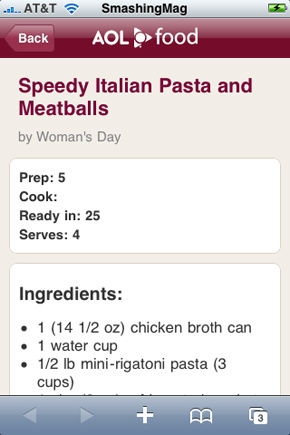
AOL Food
Heaven for those who love to cook. Just keep your iPhone with you in the kitchen, and let this nice design help you make a delicious dinner.

Deviant Art
A nice way to browse art on the iPhone. The color scheme is good, and it makes the artwork look prominent. Very easy to navigate and search. Also, appropriately sized thumbnails.

Last but not least, some words of wisdom…

Tools to design a website for iPhone
There are some libraries and kits available to help you iPhoneize your design.
- iPhoney
iPhoney gives you a pixel-accurate web browsing environment—powered by Safari—that you can use when developing web sites for iPhone. It’s a perfect tool to see how your web creations will look on iPhone. - Test iPhone
A web browser based simulator for quickly testing your iPhone web designs. - iWebKit (Demo)
iWebKit is a file package designed to help you create your own iPhone and iPod Touch compatible website or webapp. Comes with various ready-to-use themes. - iUI
iUI is a framework consisting of a JavaScript library, CSS, and images for developing iPhone web designs. It makes your web designs look and feel like iPhone’s native applications. - Intersquash (Demo)
Not really a helpful tool for designing, but you can instantly create an iPhone compatible site from your RSS feed url. - WPtouch
For WordPress users: WPtouch transforms your WordPress blog into an iPhone application-style theme, complete with ajax loading articles and effects, when viewed from an iPhone or iPod touch. - Jaipho Gallery (Demo)
If your website features a photo gallery, Jaipho will optimize it for iPhone users.
Further Resources
Don’t stop here. Check out these other great tutorials and guidelines.
- iPhone Reference Library
Apple’s official iPhone reference library for developers. It has everything you need to get started: guidelines, code-examples, tutorials, etc. - How to build a website for iPhone
This step-by-step tutorial includes everything you need to do when building a website for iPhone. Instructions for orientation direction also included. - iPhone Compatible CSS layouts
Free website layouts which work in all the common web browsers including Safari on the iPhone and iPod touch. - iPhone Interface Samples
This includes samples for iPhone interface elements like buttons, fonts, text, design patterns, hacks 6 more. - iPhoneWebDev Examples
Very helpful examples for alot of things. Direction change, events, fonts, compression, etc. - iPhone Application UI Design Patterns
- cssiphone.com
A showcase of designs optimized for iPhone.





Akino
September 27th, 2009 5:39 amGreat article… but only IPhone.
Yogesh
September 27th, 2009 6:21 amAwesome showcase, keep going.
Wednesday
September 27th, 2009 6:34 amGreat article, but it’s VolkswagEn, not VolkswagOn.
Rhys
September 27th, 2009 6:53 amWould be interested to see an article that combines Android and the iPhone.
Designect.com
September 27th, 2009 8:25 amVery nice !!! Thank you !!!
Ivan
September 27th, 2009 8:34 amof course, you could just re-title this and name it “designs optimized for webkit mobile”, since this would work also in an Android phone.
Josh
September 27th, 2009 8:37 amI have found mobify.me to be a really clever and mostly straightforward web app for creating an iPhone (and other mobile device)-ready website. There’s a WordPress plugin and stuff. I can’t believe you didn’t mention it!
Thefloatingfrog
September 27th, 2009 8:41 amSome great iphone optimisations here. The Deviant Art one especially. For those running WordPress there are a few plugins that will optimise your site immediately for mobile devices, we have recently reviewed two on The Floating Frog website. The first, WPtouch, uses a one theme suits all approach and is easy to implement. The second is Wapple Architecture mobile, which optimising your current stylesheet to retain your brand but optimses your content for mobile devices. Optimisation for mobile devices is a shrude move as it can save you a lot of bandwidth while engaging your audience through an increasingly popular digital medium.
mex23
September 27th, 2009 8:57 amGreaaat article, I appreciated it.
Another nice shopping web site i saw lately on my iphone is American Eagle
Justin
September 27th, 2009 8:58 amGreat article! Has lots of useful resources and really great inspiration.
Thanks
Mode
September 27th, 2009 9:05 amAnother to consider. http://mobile.mellowmushroom.com/ on you iPhone. Has both basic mobile and iPhone versions detected.
Scared
September 27th, 2009 10:07 amThis is a good list, but there are a ton more at http://www.cssiphone.com. Many of these might have come from there.
Michael Dick
September 27th, 2009 10:23 amYea, most of these came from http://cssiphone.com. Might want to cite it?
Michael Dick
September 27th, 2009 10:28 amThe VolkswagEn typo was my fault, if you go over to CSSiPhone.com you’ll see I began the typo over there. :)
Brandon Green
September 27th, 2009 11:53 amHAHA Everything here came from the most popular iPhone Web Gallery on the net, CSSIphone.com. What a rip. Next time try citing your sources? Learned how to cite in 6th grade I believe.
chris
September 27th, 2009 12:41 pmgreat article. as rhys mentioned I’d be interested in combining web dev for android & iphone as well – and an comparison which other phones would be capable of displaying such a site.
for our company’s thin client management software I used iui – went quite well, much better than xcode and it works on the android as well, even if the animation isn’t as smooth as on the iphone.
demo of it on video if you want to watch http://www.youtube.com/watch?v=oG7UclaYtl4
cheers chris
dt
September 27th, 2009 3:15 pm2 more resources:
http://www.jqtouch.com – A jQuery plugin for mobile web development on the iPhone,
Android, Palm Pre, and other forward-thinking devices.
http://phonegap.com – PhoneGap is an open source [web] development tool for building fast, easy mobile apps with JavaScript. Have support for iPhone.
Chris Eigner
September 27th, 2009 3:26 pmThis is a fantastic resource. Thank you for putting this together. Very useful for showing clients what the iPhone is capable of, and what other players in the industry are doing with it.
Igor Faletski
September 27th, 2009 4:14 pmHey thanks Josh for mentioning Mobify! For those looking for Android & BlackBerry compatibility and a consistent workflow, check out what our users did at http://mobify.me/gallery/
linh
September 27th, 2009 5:37 pmnice article,
i should learn how to design for iphone soon :P
thanks
Craig
September 27th, 2009 6:49 pmAnother really good mobile site is Toyota’s Prius site.
Greg
September 27th, 2009 7:03 pmeHow.com has a pretty sweet iPhone experience too.
Quakeulf
September 27th, 2009 11:35 pmThis is great, as I should improve my blog to fit the eyeFaun-format. :’3
dougit
September 27th, 2009 11:58 pmdesign for vertical spaces is back
Justin Shattuck
September 28th, 2009 6:28 amAnother incredible article on SmashMag where they neglect to (a) make sure their authors aren’t ripping content from another site (b) at least credit the source and cite the material they’re using.
I checked out the typo scenario, its the same typo here and on cssiphone.com.
If CSSIPHONE stays updated, sure these guys will have more to pull from, haha. ROAR!
John Davier
September 28th, 2009 8:50 amGreat article. The resources are quite useful: i just tried WPtouch, it works like a charm and my blog is now iPhone compatible :) Thanks for the good read!
J Pancras Gomez
September 29th, 2009 7:16 amAwesome
Robert Meza
September 29th, 2009 9:38 amI agree with many of the previous comments. Articles similar to these show be called “Showcase of Designs Optimized for Mobile Phones”… not specifically “iPhone”… As a Mobile Analyst, the Android will carry more market share over the next 3-5 years, as more devices and more carriers support the open platform.
dmantra.com
September 30th, 2009 2:21 amgreat resources!!
kalle
September 30th, 2009 2:44 amnice stuff! always to the right time :)
by the way: the “iPhone Reference Library” links point’s to http://www.marketcircle.com/iphoney
ak
September 30th, 2009 6:57 amthe emirates mobile website is really good!
Rasmus
September 30th, 2009 11:10 amMost of them look ..errr… Not so good? They look really confusing.
grimdeath
September 30th, 2009 4:59 pmLooked at a few on my G1 (android / webkit) and they seem to work great. I think the biggest mistake companies make today is advertising their site as an “iphone” optimized site. What the world really needs is a MOBILE optimized site since not everyone carries around the same darn phone.
Did we not learn our lessons from building sites and only testing in IE? Cmon guys!
Stephane
October 1st, 2009 6:31 amCan I submit my website http://www.projeturbain.com/iphone/ :-)
Redstage Magento
October 1st, 2009 9:58 amImpressive! Thanks for this information.
Adam
October 1st, 2009 10:29 amGreat article! I am inspired and on my way to creating an iPhone version of my website.
I had one question… I added this post to my Twitter page, and I noticed that you had a “tiny url” included. Does this link generate automatically when the article is written? I want to have a “tiny url” automatically added to the page whenever I write an article in my blog. When someone adds one of my articles to their Twitter page, the “tiny url” is included. Thanks!
Ondago
October 1st, 2009 1:43 pmEven better, here is a directory of mobile sites that is actually designed for the iPhone
http://dashland.com
Rich Gubby
October 2nd, 2009 7:57 amHi!
Great post – some stunning iPhone sites there (whichever site they came from).
Another tool helping you design great iPhone sites for WordPress is the Wapple Architect Mobile Plugin (http://wordpress.org/extend/plugins/wapple-architect/)
You can already produce stunning sites for an iPhone with this plugin, but I’m adding another option so you can have device specific CSS. If you want your iPhone site to look even better than other handsets you’ll be able to shortly!
Oliver Smith
October 5th, 2009 3:41 amWhat about the Rightmove.co.uk iPhone application? http://www.rightmove.co.uk/property-to-you/iphone-application
Ryan
October 19th, 2009 3:43 amha!
Check http://www.parrottandmiller.com iPhone site,
It should certainly be in the league of best iPhone sites.
Vitezslav Valka
October 25th, 2009 9:46 amGuys, I love that. I wish Pixmac is so big we can do the same for our photo site. This really matters. And I’ll have that in my mind till the time comes…
Tutorial Lounge
November 2nd, 2009 11:25 pmreally cool resources.
Htoo Tay Zar
November 27th, 2009 4:15 amCool…. Is ther any IDE that’s support mobile css auto complete. Can’t wait to test my site.
everydaypanos
February 6th, 2010 4:36 amCheck http://www.anamo.eu/m/pod/ iPhone site,
It should certainly be in the league of best iPhone E-Commerce sites.
+ It has an HTML5 iPhone App called Everydayburner that is a great example of how to enable Javascript(jQuery) on an Offline(AppCache) App.
Enjoy!
Nick Shwaery
March 6th, 2010 9:58 pmVery helpful stuff guys. Thanks!
kriss
April 16th, 2010 9:13 amGreat article. The resources are quite useful: i just tried WPtouch, it works like a charm and my blog is now iPhone compatible
Mark E
August 3rd, 2010 2:27 amI like this site, really simple and clear interactive mood diary
http://www.moodpanda.com
They’ve done a pretty good job optimizing the site for iphone
cutcaster
January 31st, 2011 4:24 pmI personally thought the Nike Labs one was crisp, professional and very well done. We just redesigned our site at Cutcaster and tried to go for the same look of professionalism.